Skip to content
Product architecture

Three interfaces. One service record.

Three jobs, three devices, three postures. One evidence trail underneath.

StaffMobile · 340pxTask state · photosManagerDesktopAssignment · sign-offAuthorDesktopStandards · gatesONE RECORDService recordPer stepPer personPer property

Shared substrate

Hover a layer to follow what it writes into the record.

Mobile-first · built for the phone already in their pocket

The whole standard, on the clock, in one hand.

One thumb, one shift, bright daylight, cheap Android. The timed task is the interface.

MFMaya FernandoRoom attendant · Housekeeping
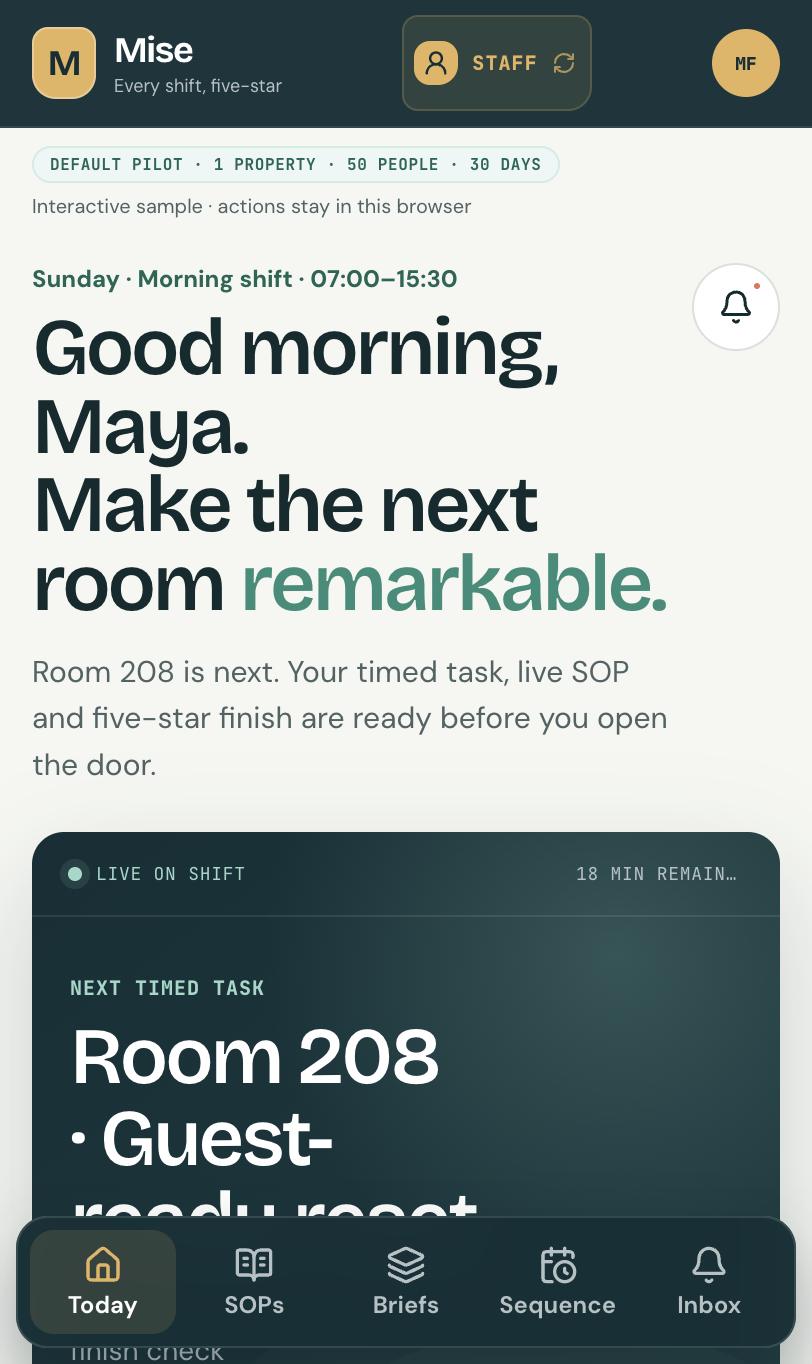
  • The timed task

    Target time, live countdown, four phases.

  • Evidence as a gate

    A step needing proof will not tick without it.

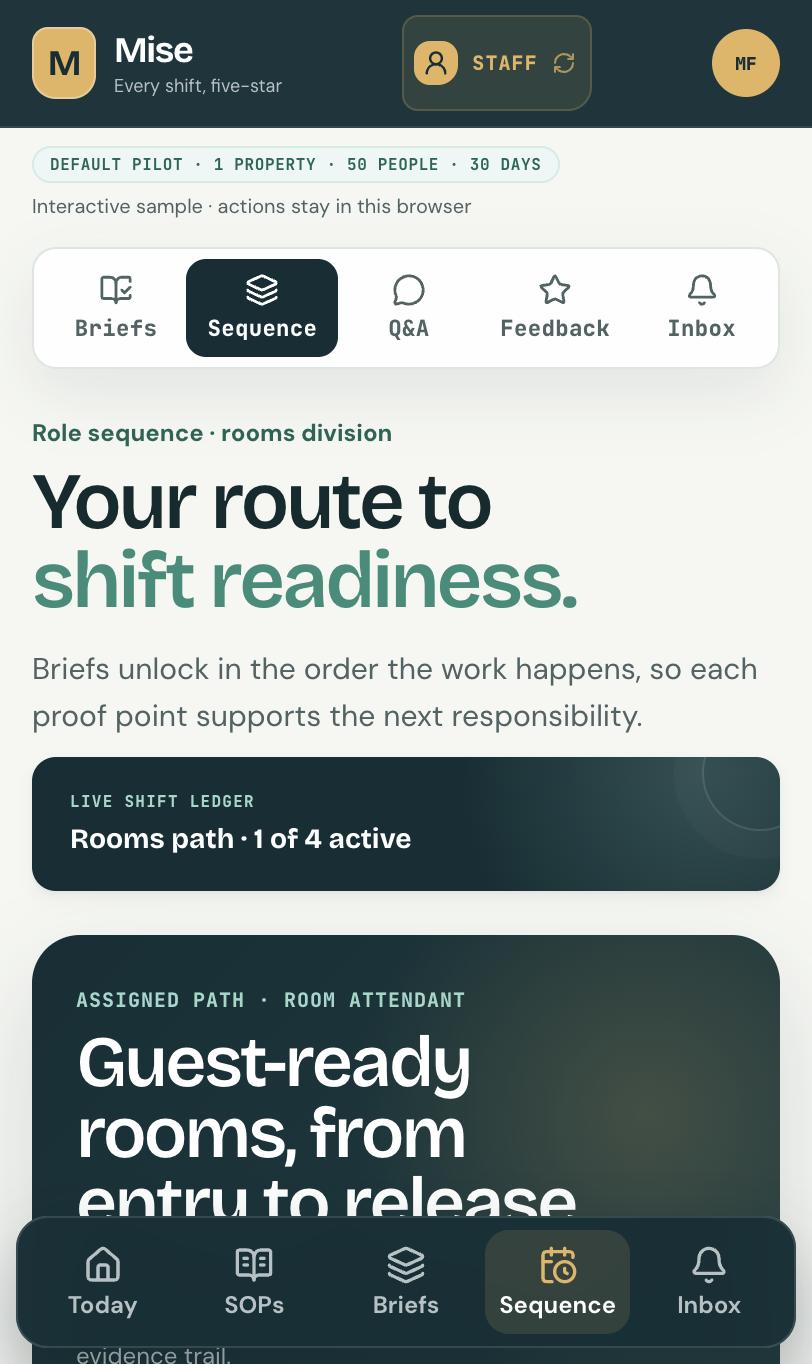
  • Sequenced readiness

    Briefs unlock in the order the work happens.

  • A record they own

    Verified standards and readiness, theirs to carry.

Staff · mobile
09:41
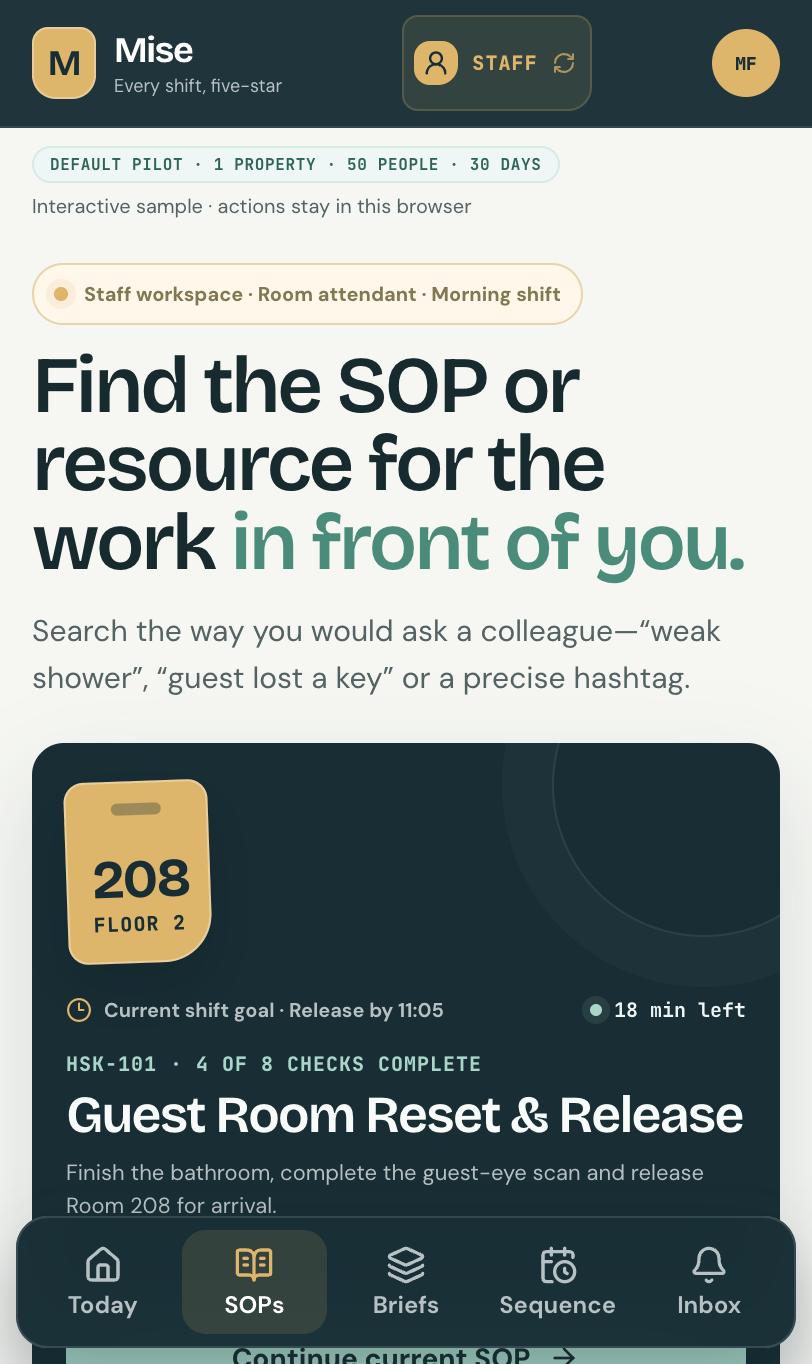
Focus Realm staff mobile screen showing the next timed task for room 208 with a live countdown and shift timeline

Today

01 / 06

Next timed task, live countdown, shift rhythm

Interface 01 · Staff

The whole standard, on the clock, in one hand.

One thumb, one shift, bright daylight, cheap Android. The timed task is the interface.

The timed task
Target time, live countdown, four phases.
Evidence as a gate
A step needing proof will not tick without it.
Sequenced readiness
Briefs unlock in the order the work happens.
A record they own
Verified standards and readiness, theirs to carry.
Mobile-first · built for the phone already in their pocket
09:41
Focus Realm staff mobile screen showing the next timed task for room 208 with a live countdown and shift timeline
Today
09:41
Focus Realm staff mobile screen showing a role sequence of operating briefs unlocking in order for the rooms division
Sequence
09:41
Focus Realm staff mobile screen showing a searchable library of operating standards filtered by job role
Standards
09:41
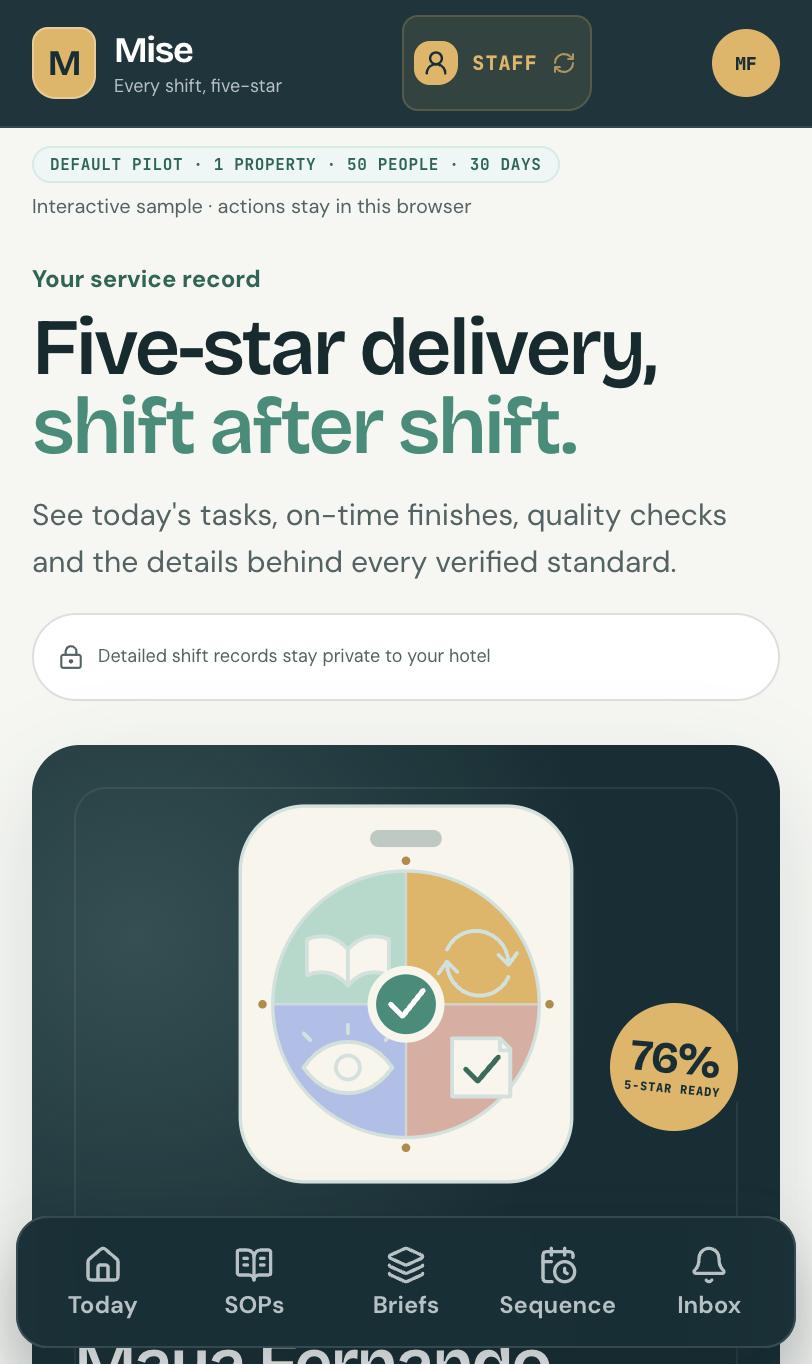
Focus Realm staff mobile screen showing a five-star readiness score with a phase-by-phase service record breakdown
Service record
09:41
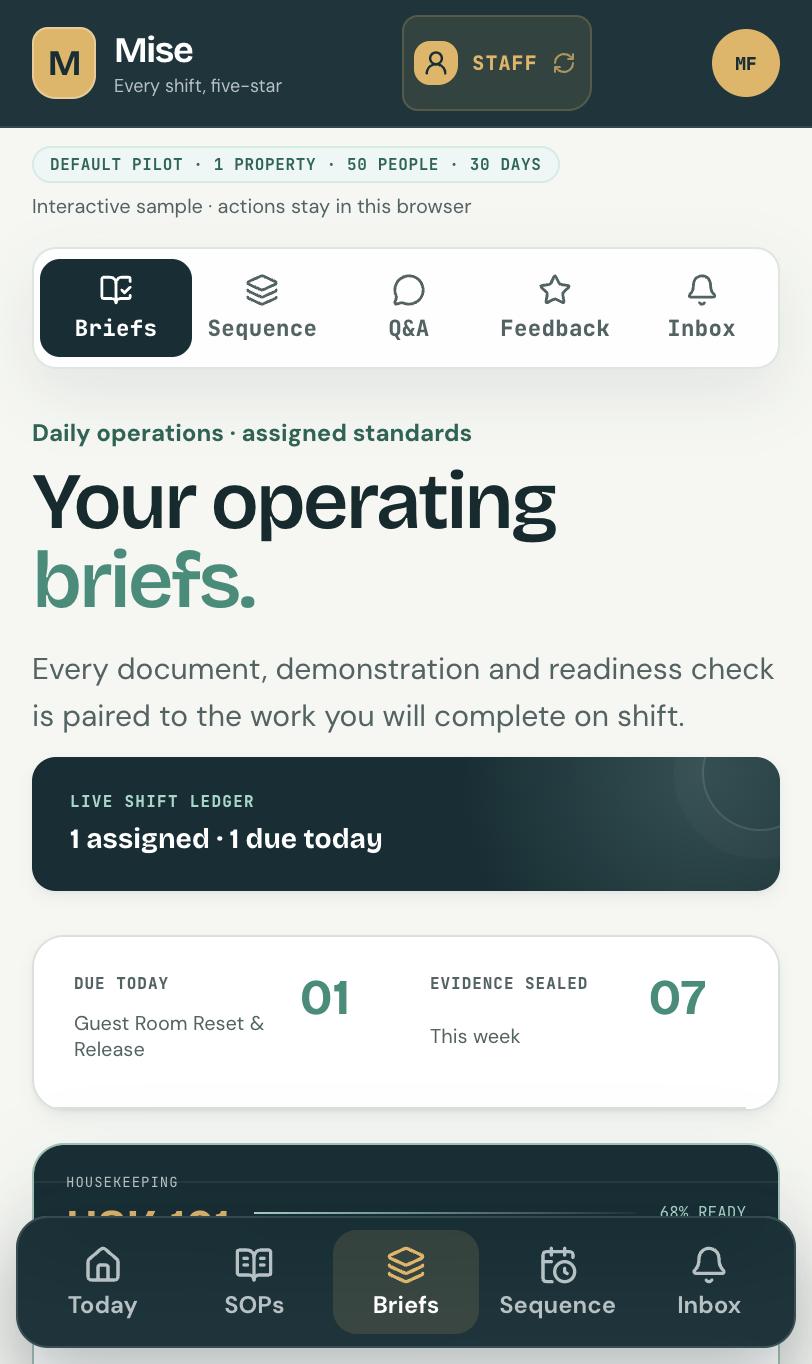
Focus Realm staff mobile screen showing operating briefs with an inline readiness check
Briefs
09:41
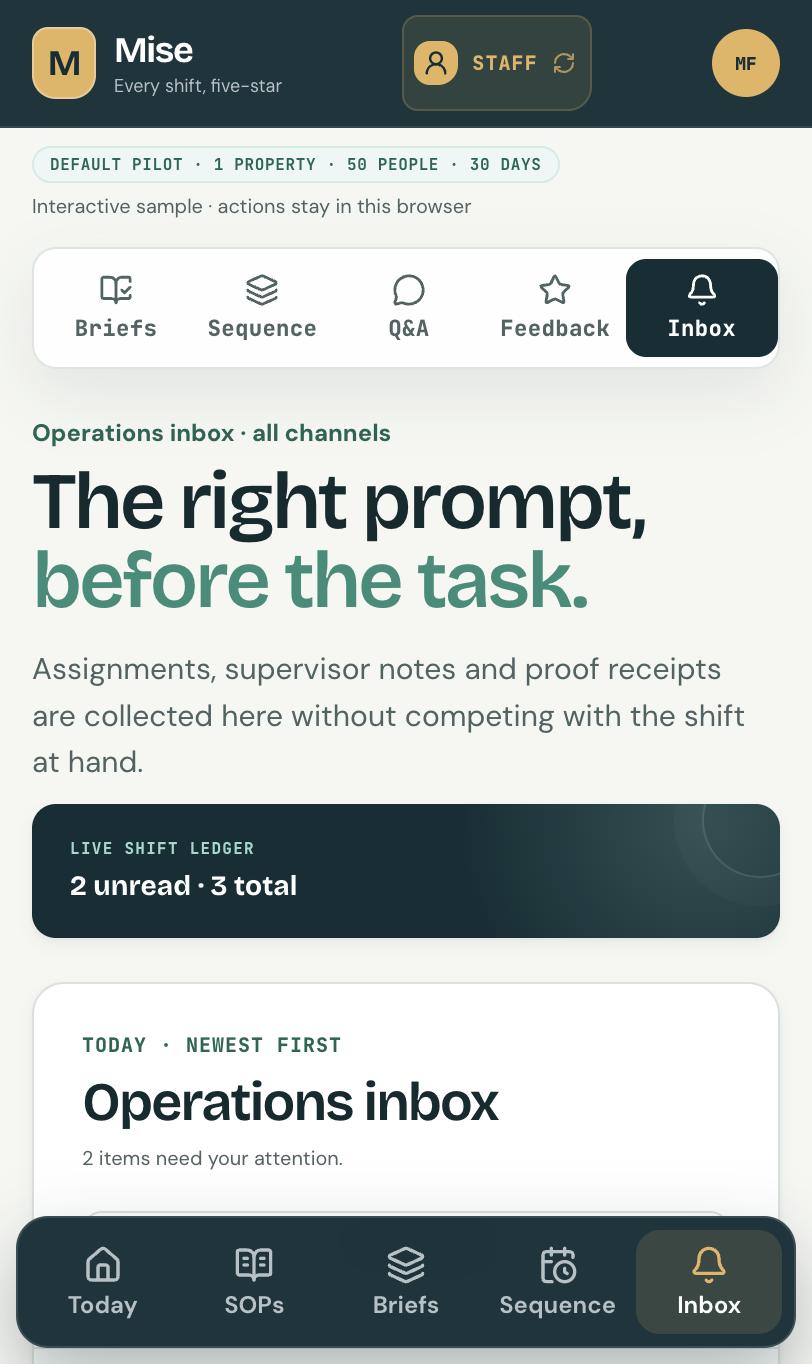
Focus Realm staff mobile screen showing assignments, supervisor feedback and reminders in one inbox
Inbox
Interface 02 · Manager

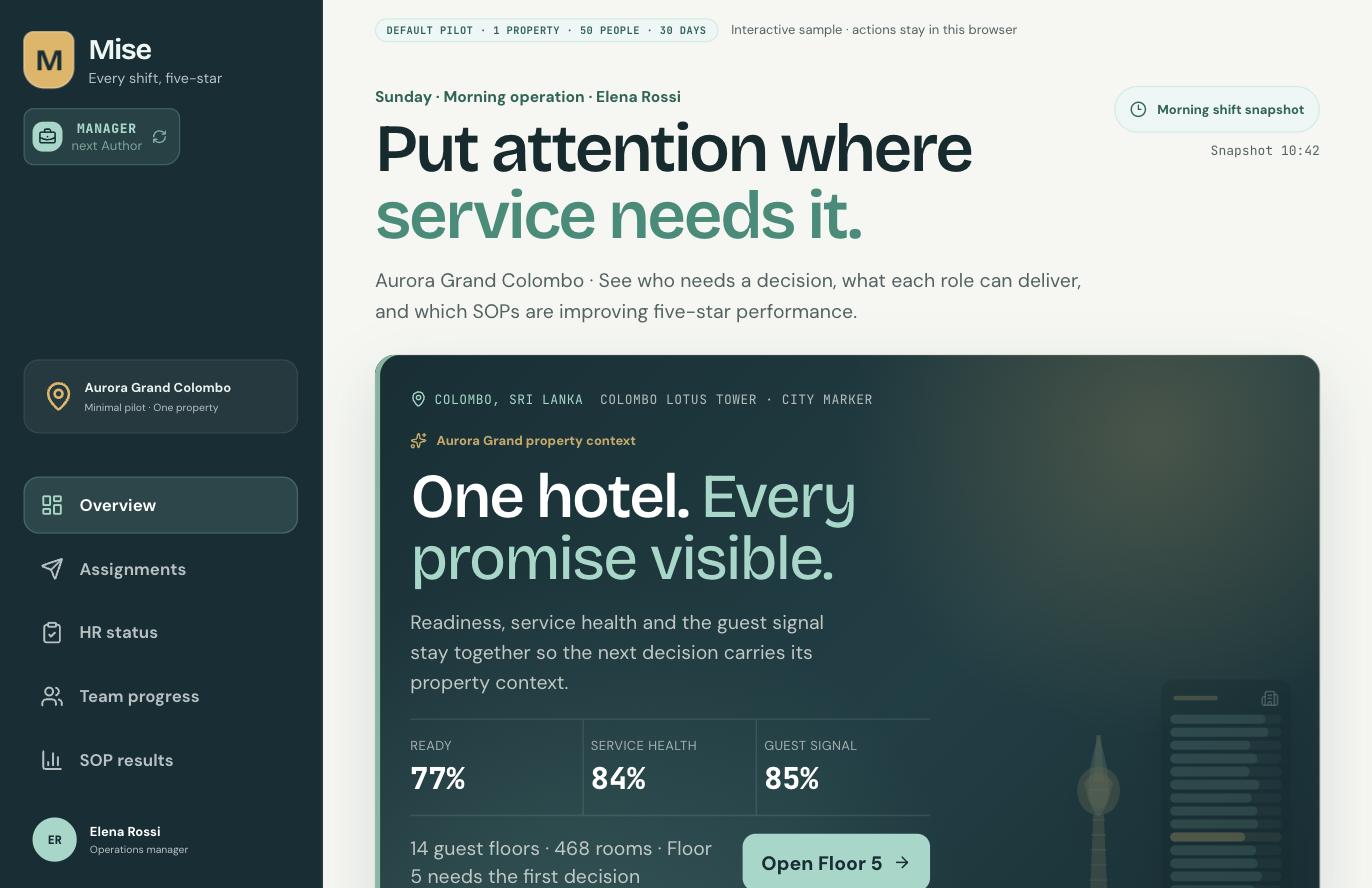
Put attention where service needs it.

Who needs a decision right now, and which standards are moving. One screen, fed by the floor.

The live service picture
Readiness, service health and guest signal, together.
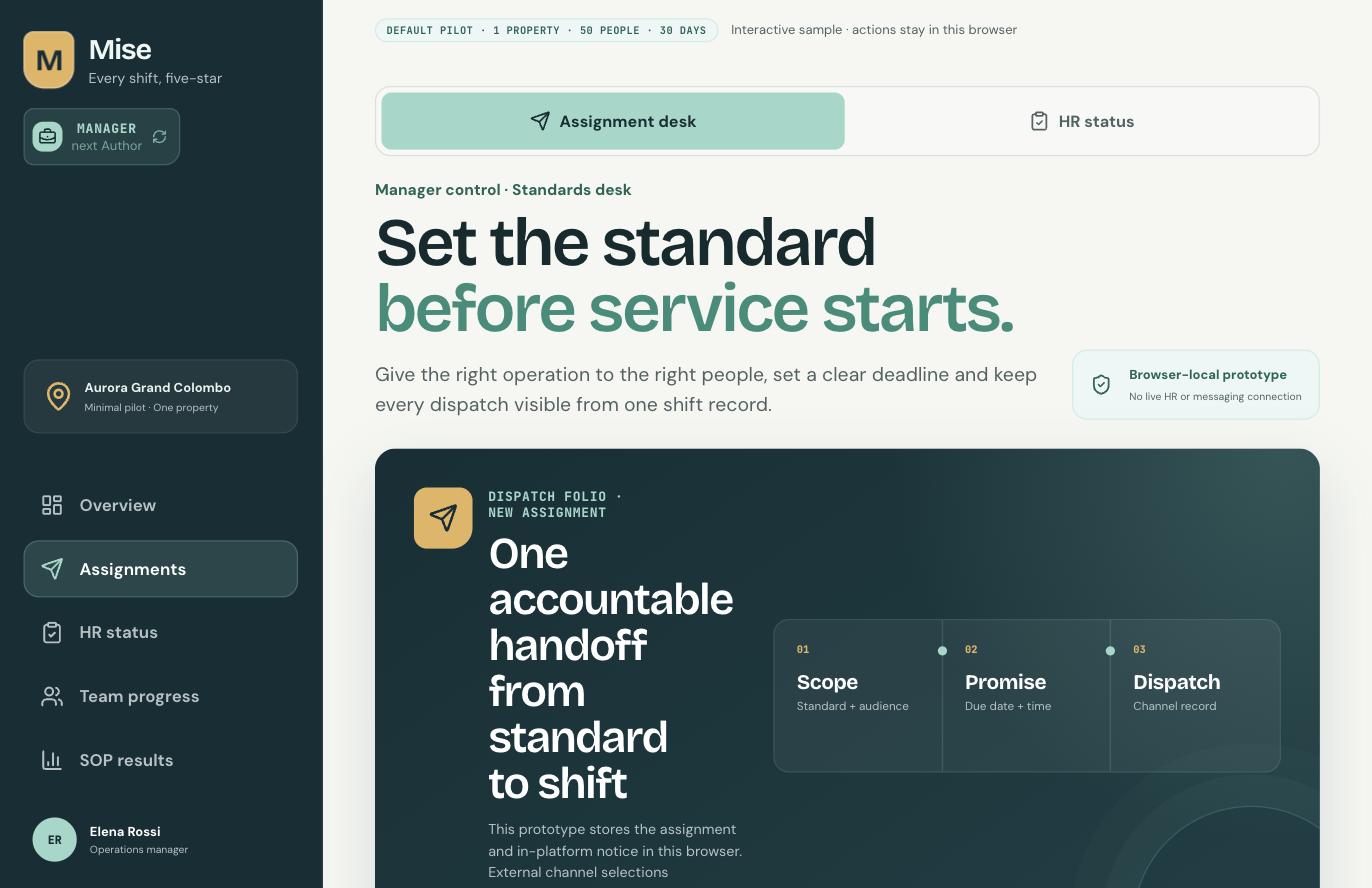
Assignment, not chasing
Push a standard to a role, floor or person.
Exception handling
Routine clears itself. Blocked rooms surface.
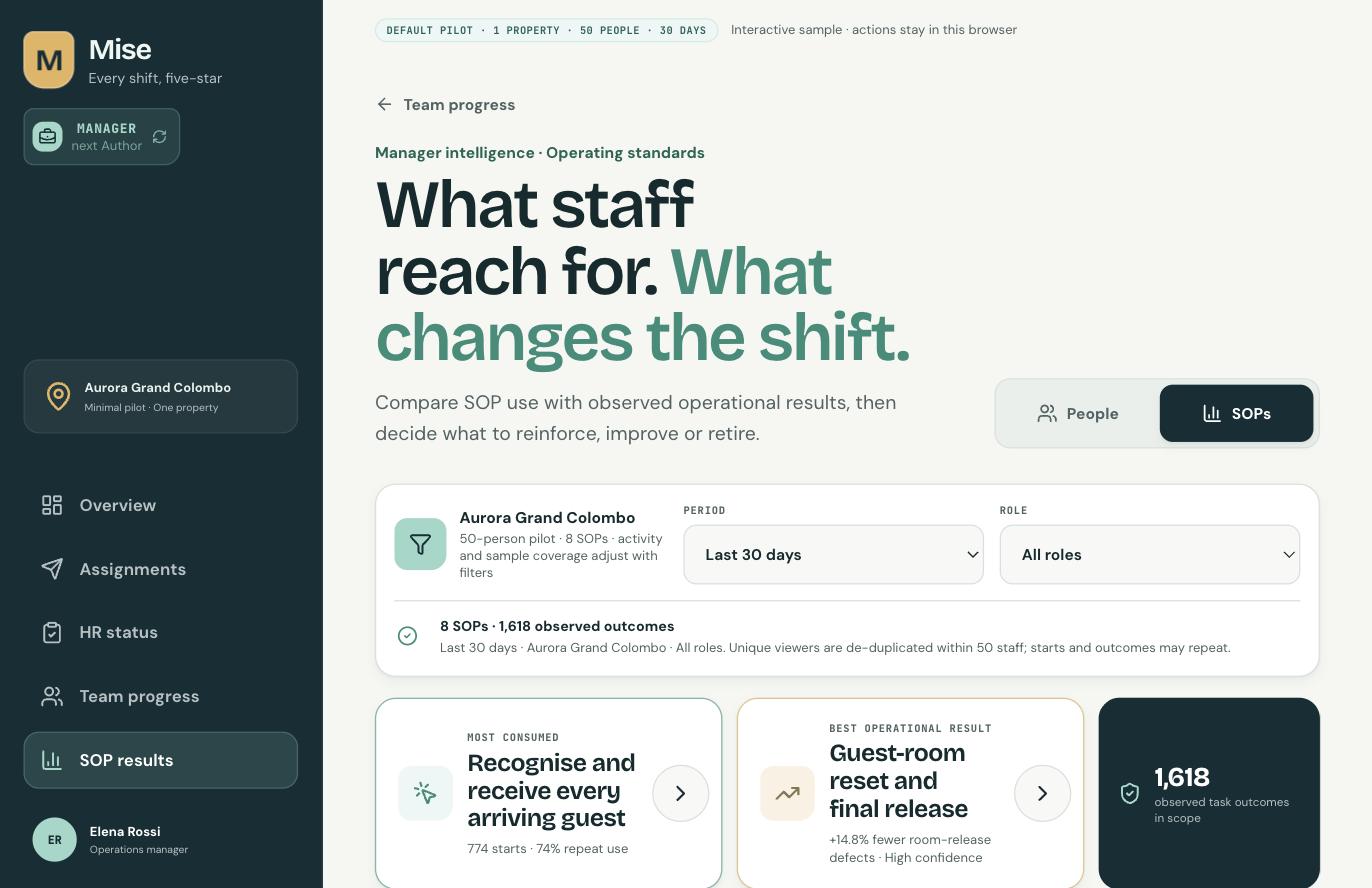
Standard-level results
Which standards lift performance, and which get worked around.

Desktop-primary · the live service picture
focusrealm.app/manager/overview
Focus Realm manager desktop overview showing readiness, service health and guest signal for Aurora Grand Colombo
Overview
focusrealm.app/manager/overview
Focus Realm manager desktop assignments screen for pushing operating standards to roles and people
Assignments
focusrealm.app/manager/overview
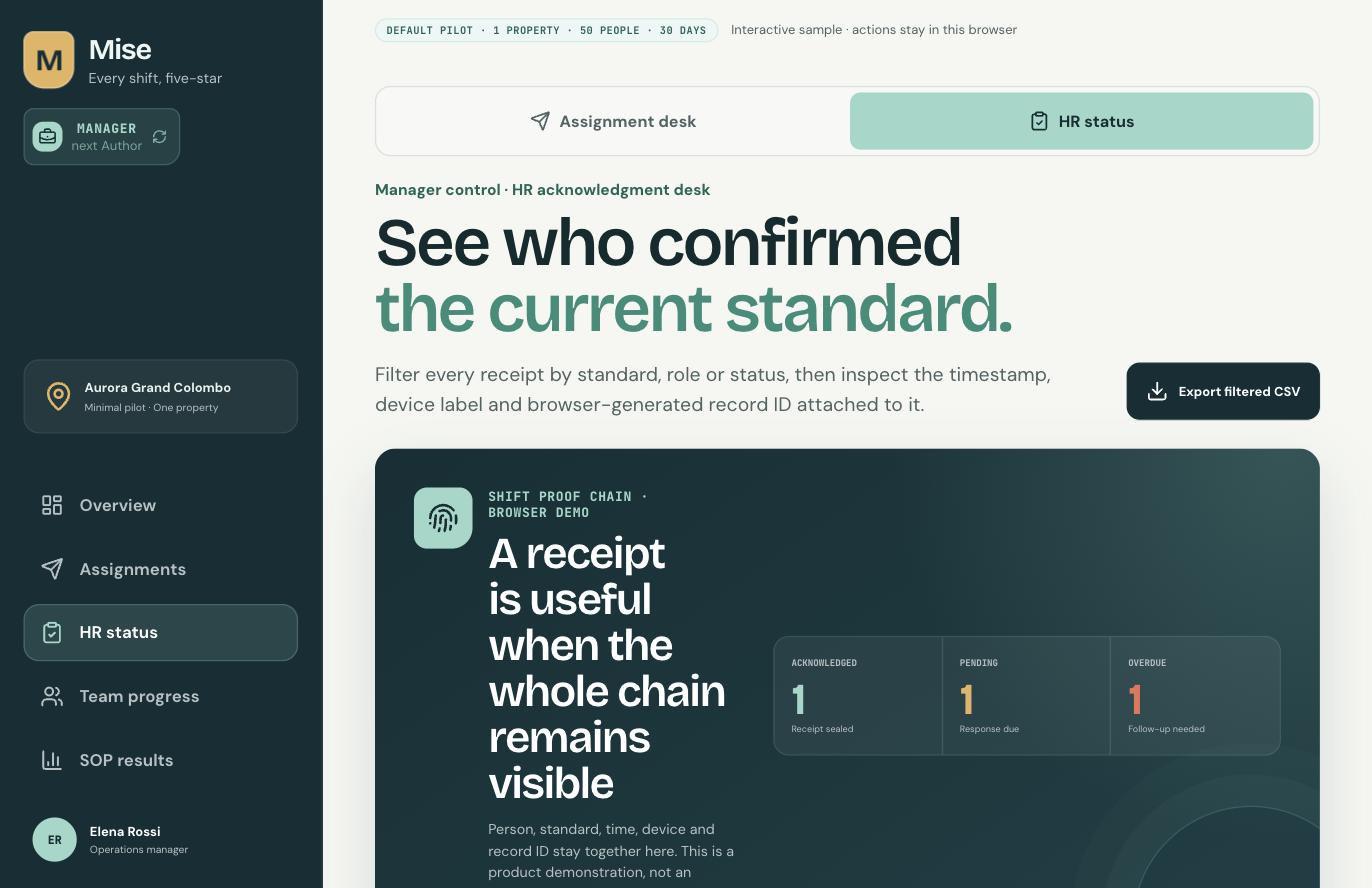
Focus Realm manager desktop screen showing staff readiness status against operating standards
Readiness status
focusrealm.app/manager/overview
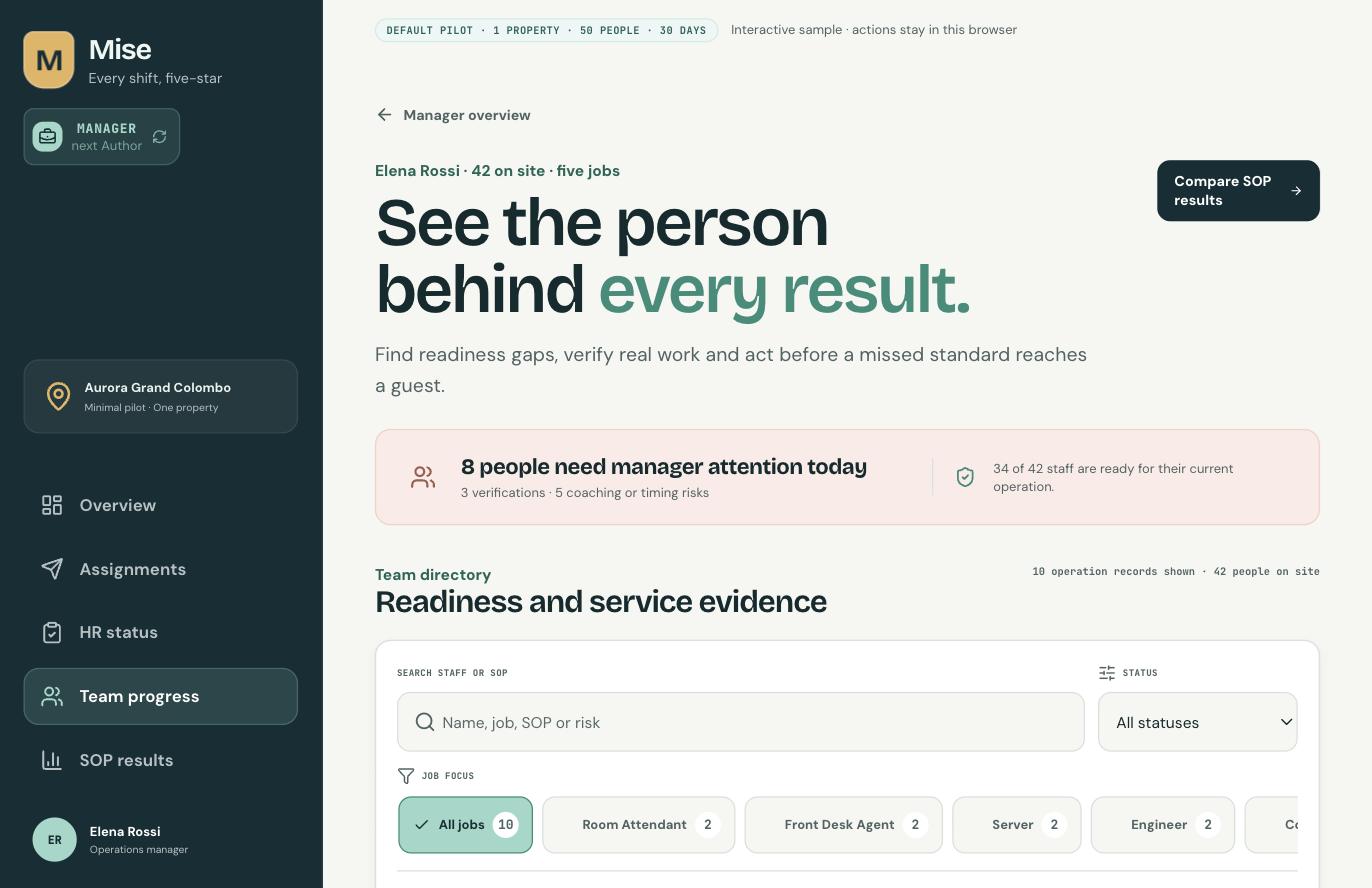
Focus Realm manager desktop team progress screen showing per-person performance against standards
Team progress
focusrealm.app/manager/overview
Focus Realm manager desktop screen showing results per operating standard
Standard results
Interface 03 · Standards

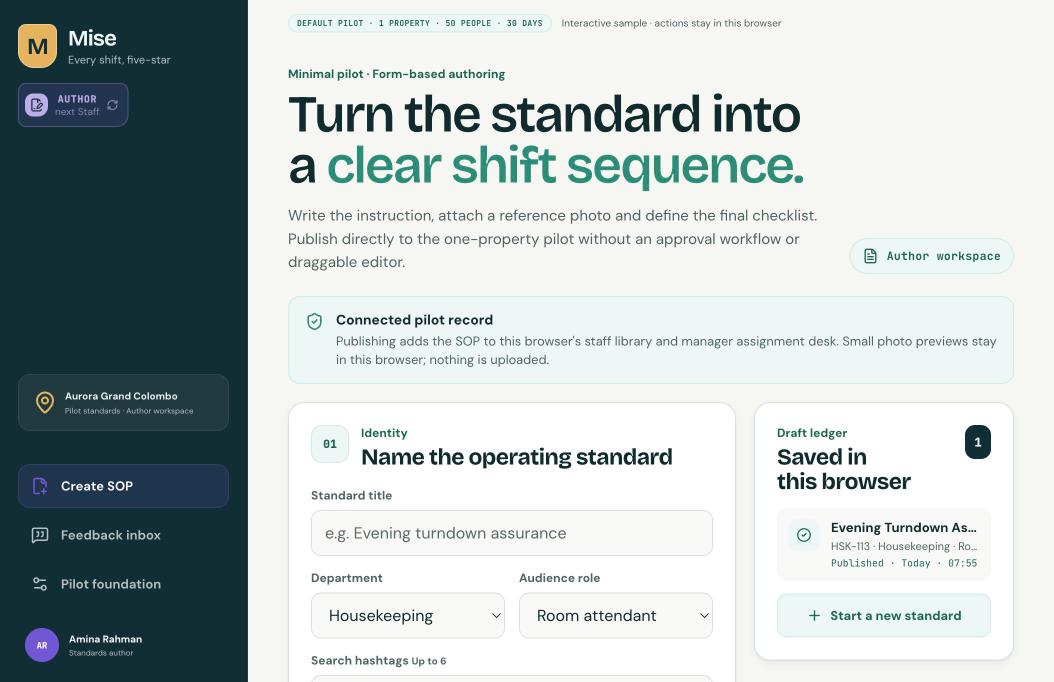
Turn the standard into a clear shift sequence.

Write it, mark which steps need proof, publish. It is in tonight's shift.

Subtraction-first authoring
A form, not a page builder. Everything else removed.
Evidence by design
You decide where proof is mandatory. It becomes a gate.
Publish straight to the shift
One action puts it in the library and on the desk.
The loop closes
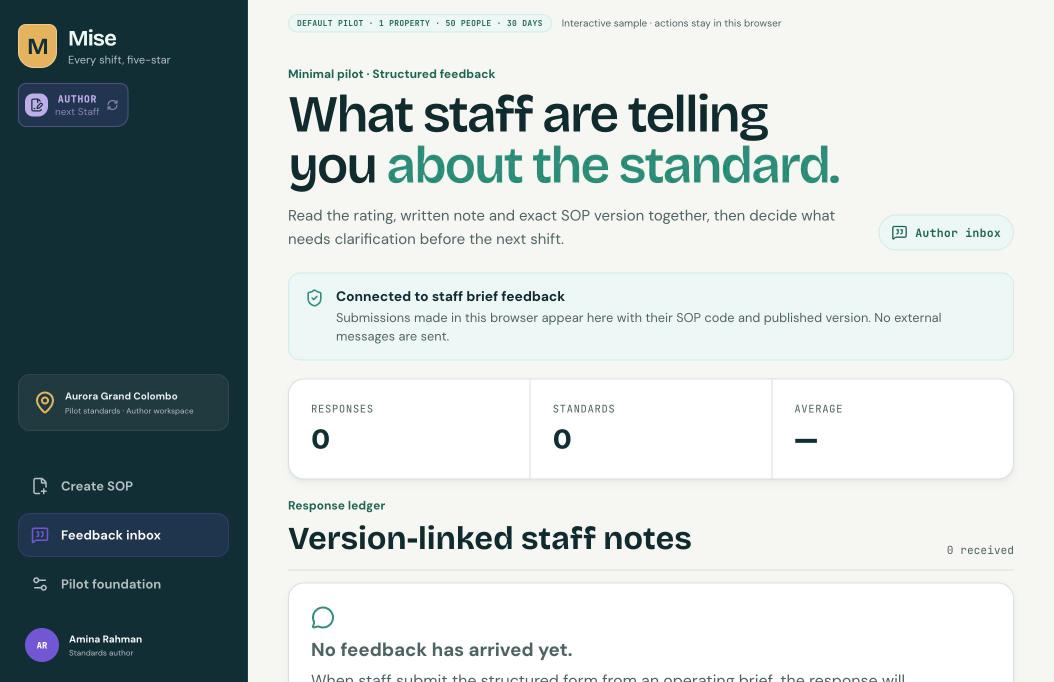
Floor feedback routes back, with the version attached.

Desktop · where the standard gets written
focusrealm.app/author/create
Focus Realm author desktop screen for creating an operating standard with identity, department and audience role
Create standard
focusrealm.app/author/create
Focus Realm author desktop feedback inbox showing responses from staff per operating standard
Feedback inbox
focusrealm.app/author/create
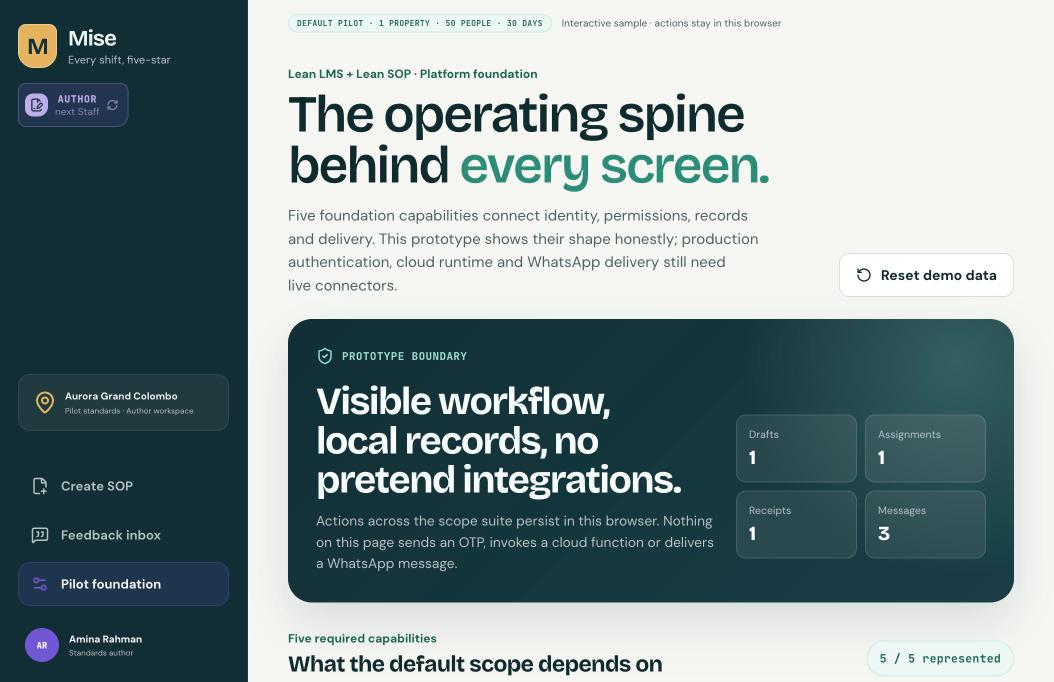
Focus Realm author desktop pilot foundation screen configuring a single-property pilot
Pilot foundation

Twenty-seven routes are live. Walk them yourself.

Or let us walk you through one shift.